Hyper Menu
The Hyper Menu is the main in-game menu: voting, store, warps, claims, economy shortcuts, and more in one place. Open it with /m only. The title shows your name.
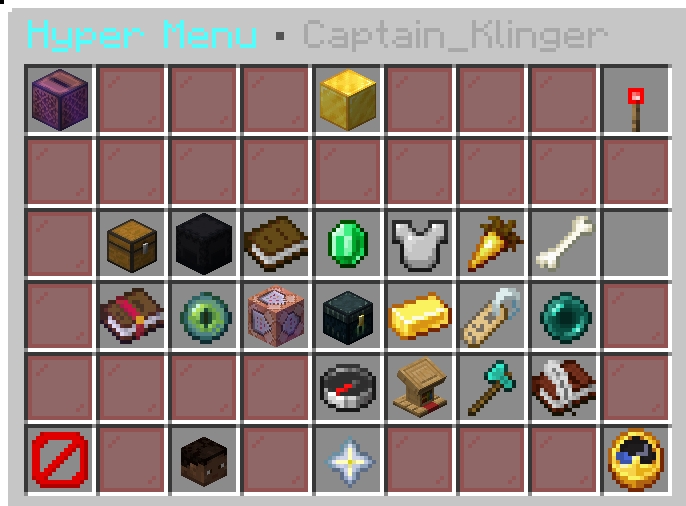
/m)For command-style reference (store, Discord, orders, and more), see Commands.
Put It Into Practice
Use these step-by-step guides to plan your next session on HyperBlocks.
- The Hyper Menu: Find Shops, Claims, Warps, and Activities
Open /m on HyperBlocks Survival to find the main player tools without memorizing every command.
- Your First Survival Session on HyperBlocks
Build a practical first-session plan: learn the menu, secure food and storage, claim a home, and link the browser tools when you need them.
- Homes and Public Warps: Choose the Right Return Route
Keep personal return points and shared destinations distinct when planning a Survival journey.